Introduction
Experiencing a blown AirPod Pro speaker can significantly disrupt your audio experience, causing diminished sound quality or complete sound loss. Whether you’re struggling with distorted audio during calls or your favorite tunes sound less than stellar, understanding how to identify and resolve this issue is crucial. This guide delves into diagnosing the problem, offering solutions, and providing strategies to prevent future occurrences. Let’s embark on breathing life back into your malfunctioning AirPod Pro.
Understanding Blown Speakers
Blown speakers are a frequent problem in audio devices, and AirPod Pro is no exception. The term ‘blown speaker’ usually indicates that the speaker is not functioning correctly due to physical damage or an electrical fault. This can happen if the speakers are pushed beyond their sound limits or due to a manufacturing flaw. For an AirPod Pro, signs of a blown speaker may include distorted audio, reduced volume, or no sound.
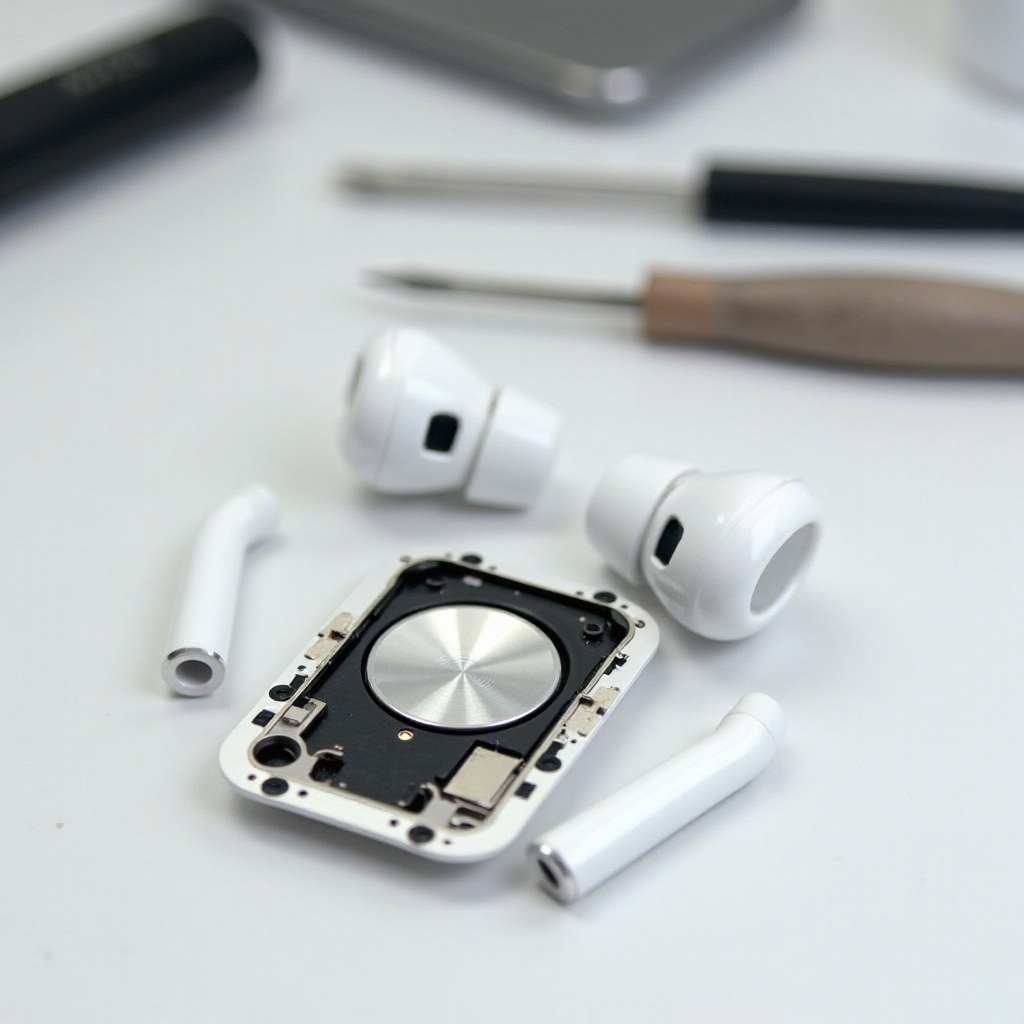
These issues arise when components like the speaker coil or diaphragm suffer damage. Given the complexity of AirPod Pro, these small speakers are particularly vulnerable to problems caused by dust, moisture, or mishandling. By understanding this, you can better diagnose the root of the issue and select an appropriate solution, whether it’s a DIY repair or a professional service.
Diagnosing the Problem
Confirming if your AirPod Pro speaker is indeed blown requires a meticulous approach. Start by noting the symptoms:
- Sound Quality Issues: Does the sound appear distorted or muffled?
- Volume Discrepancies: Is one AirPod significantly quieter than the other?
- No Sound: Is there no audio output from one or both AirPods?
After recognizing these signs, conduct a few tests. Try pairing your AirPods with another device to eliminate software-related issues. If the problem is consistent across multiple devices, it likely points to a hardware malfunction, indicating that your AirPod Pro speaker might be blown. Identifying the issue accurately is essential for choosing the next steps in your repair journey.
Fixing a Blown AirPod Pro Speaker
After diagnosing the issue, the next step is to decide if a DIY fix is feasible or if you should seek professional repair. Each path has its benefits and drawbacks, so let’s explore them.
DIY Approaches
Attempting to repair a blown AirPod Pro speaker yourself can be rewarding but requires caution. Consider these steps:
- Reset Your AirPods: Sometimes a simple reset can resolve software glitches affecting audio quality. Unpair the AirPods, reset them, and re-pair them to your device.
- Cleaning Your AirPods: Use a soft, dry brush or a gentle cleaner to clean the speaker grills. Clogged debris or earwax can sometimes cause sound issues.
- Adjust Settings: Double-check that your device’s sound balance is set correctly. Adjust as needed in the settings menu.
These DIY steps may solve minor issues, but remember that opening your AirPods or attempting complex fixes might void the warranty.
Professional Repair Options
If DIY fixes don’t resolve the problem or if you’re uncomfortable trying them, professional repair services are a viable option. Consider the following:
- Apple Support: Reach out to Apple for warranty inquiries or repair options. A replacement may be possible if it falls under warranty terms.
- Authorized Repair Services: Choose technicians certified by Apple for repairs or replacements that won’t void your warranty.
Professional repairs ensure a reliable fix without the risk of further damage to your AirPods, especially given their delicate nature.
Preventing Future Speaker Issues
Once you’ve addressed your current speaker problem, it’s prudent to adopt measures to prevent future issues. Here are some preventive recommendations:
- Moderate Volume Levels: Avoid using maximum volume settings to lessen the stress and potential damage to the speaker over time.
- Handle with Care: Keep your AirPods safe from moisture, dust, and physical shocks. Use protective cases when possible.
- Routine Cleaning: Regularly clean your AirPods to avoid accumulation of debris, earwax, or dust that might impair performance.
Incorporating these habits into your routine can extend your AirPods’ life and maintain their sound quality.
Conclusion
Addressing a blown AirPod Pro speaker doesn’t have to be overwhelming. Whether you try a DIY repair or seek professional assistance, understanding how to accurately diagnose and effectively tackle the problem gets your AirPods back to working condition. Prevention plays a critical role, so implementing maintenance habits will help in ensuring your AirPods’ durability and performance.
Frequently Asked Questions
What are the symptoms of a blown AirPod Pro speaker?
Common symptoms include distorted sound, reduced volume in one earbud, or complete loss of sound.
Can you fix a blown AirPod Pro speaker at home?
Yes, minor issues might be resolved through DIY techniques, such as cleaning or resetting. However, major problems likely require professional intervention.
How does Apple’s warranty address blown speakers?
Apple’s warranty may cover manufacturing defects, but damage from misuse might not be included. It’s best to consult Apple Support for specifics.